How to Sign In to BNB Machine with Your Wallet
Sign in to BNB Machine by signing a short message with your wallet. It's free, moves no funds and needs no email. Plus password login and recovery.
BNB Machine lets you sign in with your wallet instead of a password. You sign a short message to prove the wallet is yours. It's free, it moves no funds, and it's the safest way to log in.
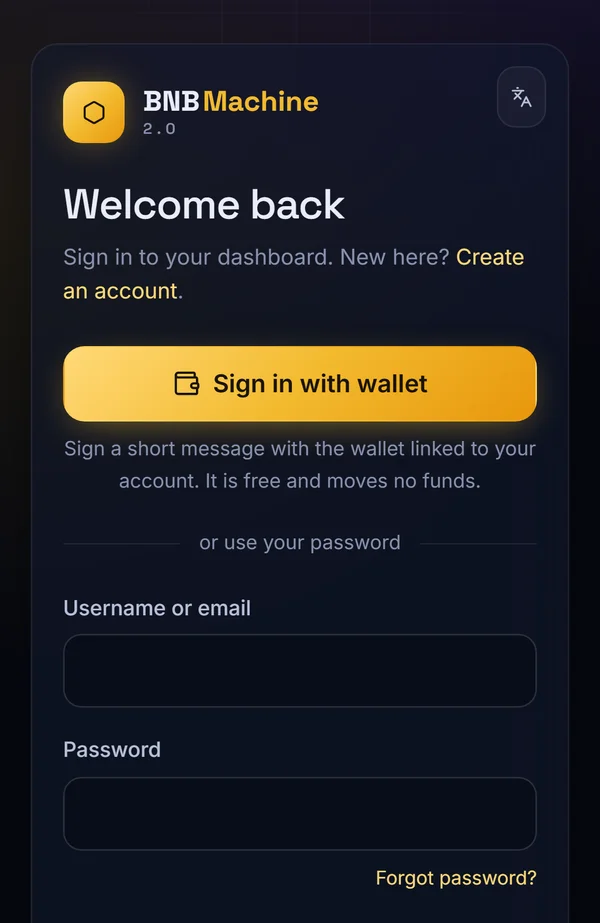
How to sign in with your wallet
- Go to bnbmachine.world/login. On a phone, open it in your wallet app's browser.
- Tap Sign in with wallet.
- Your wallet shows a message to sign. Check it mentions bnbmachine.world, then tap Sign.
- You're signed in to your dashboard.
Use the right wallet
Sign in with the same wallet you registered with. That's the wallet linked to your account and where your withdrawals arrive. You can see the linked wallet on your Wallet page.
Signing in with a password
You can also sign in with your username (or email) and password under "or use your password". Wallet sign-in is recommended because there's no password to steal.
Forgot your password?
You don't need it: sign in with your wallet. If you added an email, you can also use Forgot password? on the login page.
Frequently asked questions
Is signing in with my wallet free?
Yes. It's a signature, not a transaction, so there's no gas fee.
Can signing in move my funds?
No. Signing a login message can't send BNB or approve spending.
I changed my wallet. How do I sign in?
Sign in with your password, then change your linked wallet on the Wallet page.
Why does the site ask me to sign again?
For security, sessions expire after a period of inactivity. Just sign in again.
Ready to join?
Create your account with your wallet in about 10 minutes. Activation is $20 in BNB, priced live by Chainlink.