How to Create Your BNB Machine Account (Step by Step)
Create and activate your BNB Machine 2.0 account in 5 steps with MetaMask or Trust Wallet: register, add your wallet, connect it and activate for $20 in BNB.
You can create and activate a BNB Machine account in about 10 minutes. You need a crypto wallet on BNB Smart Chain, about $21 in BNB, and an invite link. This guide walks through every screen.
Before you start
| You need | Why |
|---|---|
| A wallet such as MetaMask or Trust Wallet, set to BNB Smart Chain | Your wallet is your login and where your withdrawals arrive |
| About $21 in BNB | $20 for activation, plus a small network fee |
| An invite link | Every account joins under a sponsor. If nobody invited you, use the official join link |
New to wallets? Read How to set up MetaMask for BNB Smart Chain or How to set up Trust Wallet first.
Step 1: Open your invite link
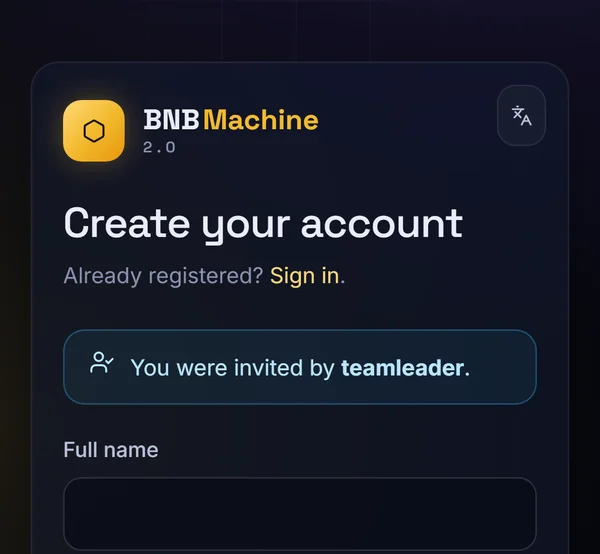
Open the link your sponsor sent you. It looks like bnbmachine.world/register?ref=username. At the top of the page you'll see "You were invited by …" with your sponsor's username. Check that it's the person you expect.
Step 2: Enter your details
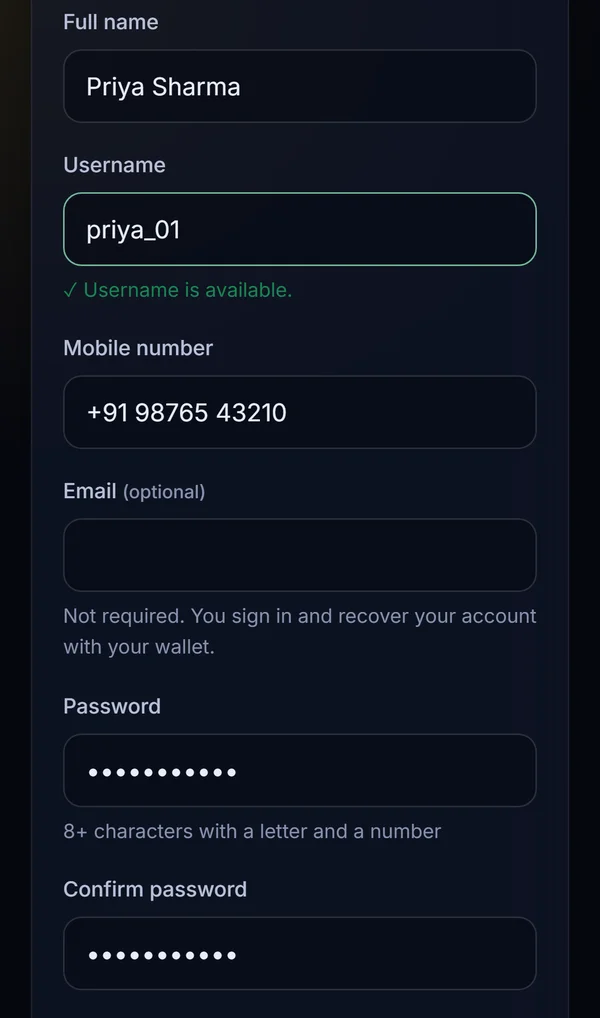
Fill in the form:
- Full name
- Username: 3 to 20 letters, numbers or underscores. A green tick shows when it's available.
- Mobile number
- Email (optional): you don't need it, because you sign in and recover your account with your wallet.
- Password: at least 8 characters, with a letter and a number. Type it again to confirm.
Step 3: Add your wallet address
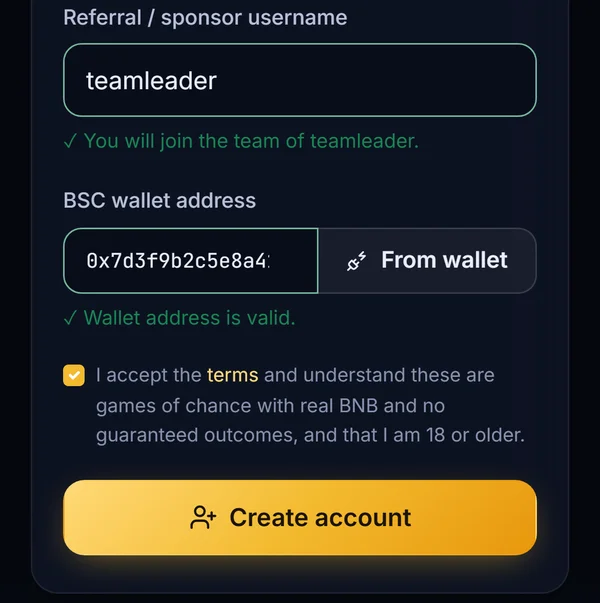
Your sponsor's username is already filled in. For BSC wallet address, tap From wallet. Your wallet asks to connect to bnbmachine.world: check the network is BNB Smart Chain and approve. Your address is filled in automatically and checked.
Then tick the box to accept the terms (you confirm you are 18 or older and understand these are games of chance), and tap Create account.
Step 4: Connect your wallet
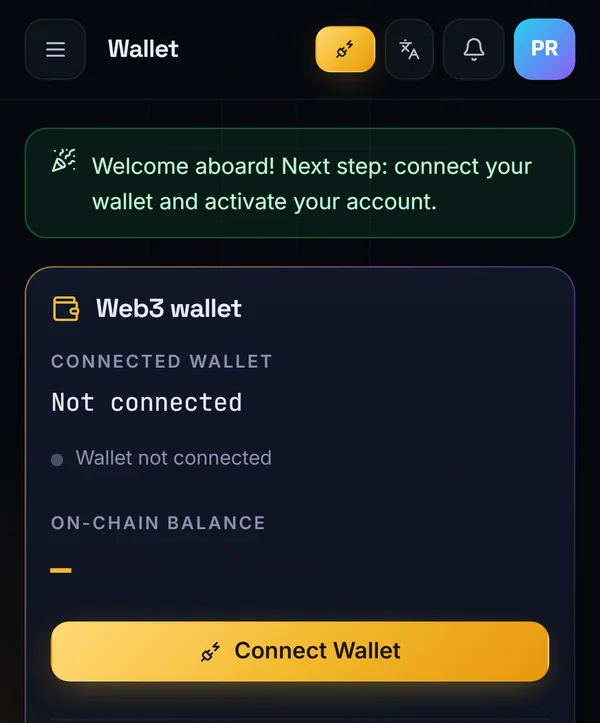
You arrive on your Wallet page with the message "Welcome aboard! Next step: connect your wallet and activate your account." Tap Connect Wallet and approve. Make sure it's the same wallet you registered with: the page shows the connected address and the network, BNB Smart Chain.
Step 5: Activate for $20 in BNB
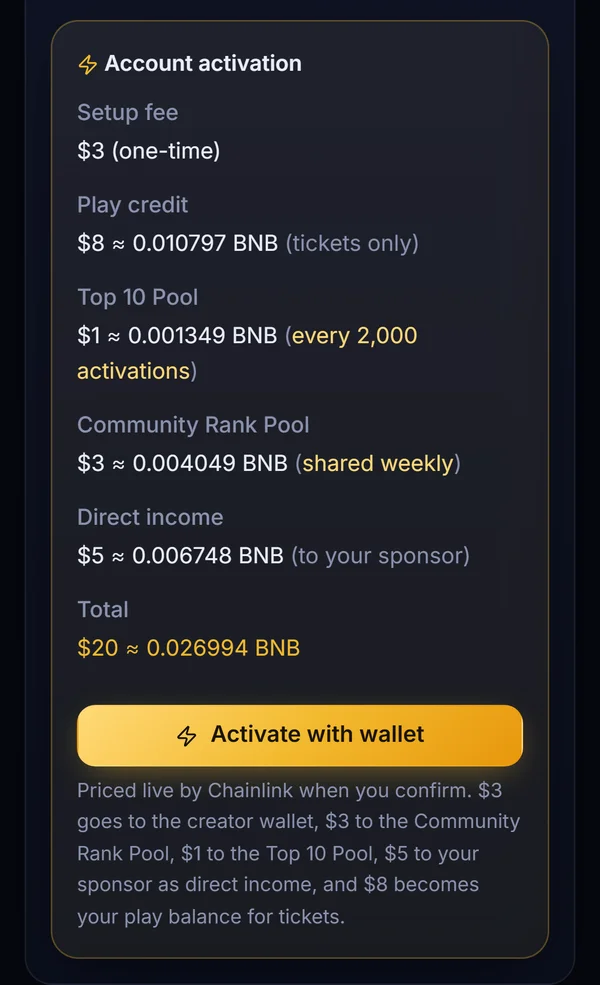
Scroll down to Account activation. It shows exactly where your $20 goes and the amount in BNB at the live Chainlink price:
| Part | Amount |
|---|---|
| Setup fee (one-time) | $3 |
| Play credit (tickets only) | $8 |
| Top 10 Pool | $1 |
| Community Rank Pool | $3 |
| Direct income to your sponsor | $5 |
| Total | $20 |
Tap Activate with wallet. Your wallet shows the transaction: check the amount and that it's going to the BNB Machine contract, then confirm. A tiny extra is sent to cover price movement, and the contract returns anything above $20 automatically.
When the transaction confirms, your account is active and $8 is in your play balance, ready for tickets.
After you activate
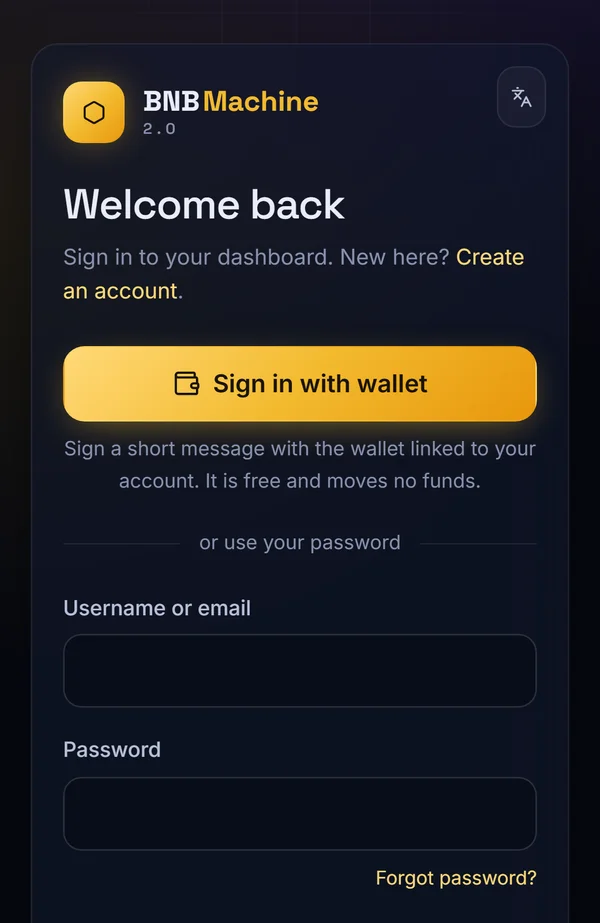
- Sign in next time with your wallet: on the login page, tap Sign in with wallet and sign a short message. It's free and moves no funds.
- Share your own invite link from your dashboard. You earn $5 for each person who activates through it.
- Start your 13-day mission: invite active members early to unlock your team levels. See Mission #1: how levels unlock in 13 days.
- Pick your first pool: see The 10 prize pools explained.
Common problems and fixes
| Problem | Fix |
|---|---|
| "From wallet" does nothing on a phone | Open the invite link inside your wallet app's browser, not in Chrome or Safari |
| "Sponsor has not activated" | Your sponsor must activate before they can invite. Ask them, or use the official join link |
| Wrong network in your wallet | Switch your wallet to BNB Smart Chain and try again |
| Not enough BNB | You need $20 in BNB plus a little for the network fee |
| Connected address doesn't match | Switch to the wallet you registered with, in your wallet app |
Frequently asked questions
Do I need an email to join BNB Machine?
No. Email is optional. You sign in and recover your account with your wallet.
How much BNB do I need to activate?
$20 worth of BNB at the live Chainlink price, plus a small network fee. About $21 in total is enough.
Can I join BNB Machine without a sponsor?
Every account joins under a sponsor. If nobody invited you, use the official join link, which places you directly under the platform.
Which wallets work with BNB Machine?
Any wallet that supports BNB Smart Chain and connects to websites, such as MetaMask and Trust Wallet.
Why do I have to activate?
Activation opens your account: it gives you the $8 play credit, lets you invite members and starts your team rewards. You can only invite others after you activate.
What if my activation transaction fails?
Nothing is taken except, possibly, the small network fee. Check you're on BNB Smart Chain with enough BNB, and try again.
Ready to join?
Create your account with your wallet in about 10 minutes. Activation is $20 in BNB, priced live by Chainlink.